
Bulk Create Phantom Wallets
Generate multiple Phantom wallets for the Solana ecosystem with one click. Each wallet gets a unique address and 12-word seed phrase, all created and stored locally. Built for DeFi participation, testnet participation, and DeFi operations at scale. For EVM wallets, see the MetaMask wallet creator.
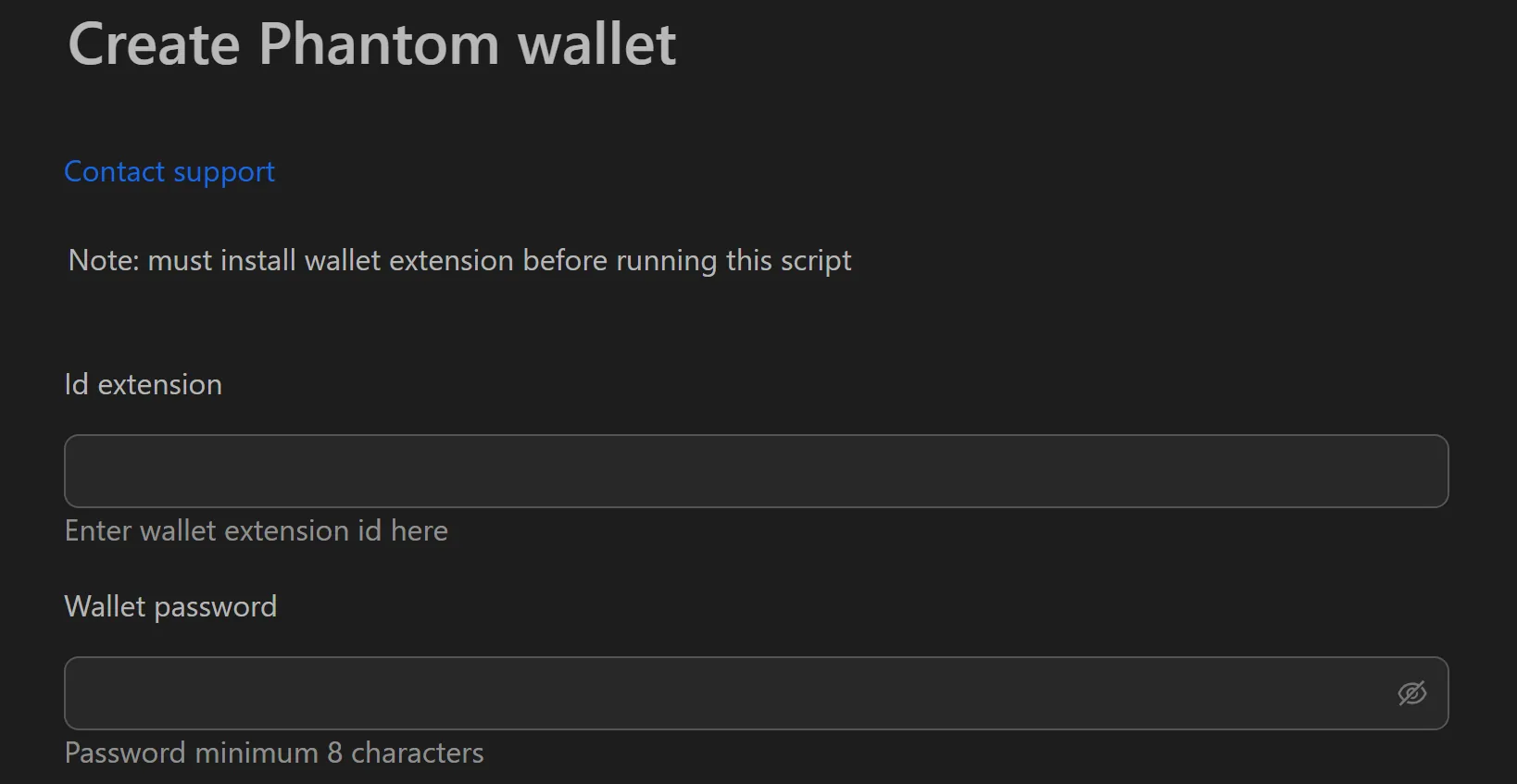
How to Create Phantom Wallets in Bulk
- Fill in the Phantom extension ID and set a wallet password.
- Select the profiles to create wallets for.
- Click Play to run the wallet creation workflow.
- Results are saved automatically to a dated folder:
wallets/phantom/{date}. - Each wallet's seed phrase is stored in a separate text file named by its address (e.g.,
5xJ...z9K.txt).
Key Features
- One-click bulk creation - Generate hundreds of Solana wallets in seconds using standard blockchain cryptography
- Organized file storage - Each seed phrase saved to its own file, organized in dated folders for easy lookup
- 100% local processing - No private keys or seed phrases are ever sent over the internet
- Per-wallet file naming - Files named by wallet address for instant identification
Use Cases
- DeFi participation - Create 500+ wallets, then automate interactions with Solana DeFi protocols (Jupiter swaps, Raydium liquidity, Solend lending) to build transaction history
- Testnet participation - Simulate hundreds of users for load testing; active testnet participation increases chances of retroactive rewards
- Risk diversification - Split assets across multiple wallets to avoid single-point-of-failure risk
Security Best Practices
- Store the seed phrase folder on an encrypted hard drive (e.g., VeraCrypt) or offline USB
- Never upload seed phrase files to Google Drive, Dropbox, or send via email or messaging apps
- The wallet creation and export process happens entirely offline - no man-in-the-middle risk
See also: Keplr wallet creator for Cosmos, Solflare wallet creator for alternative Solana wallets.